GIS Digitizing Tool

Turn scanned drawings into GIS data — in minutes.

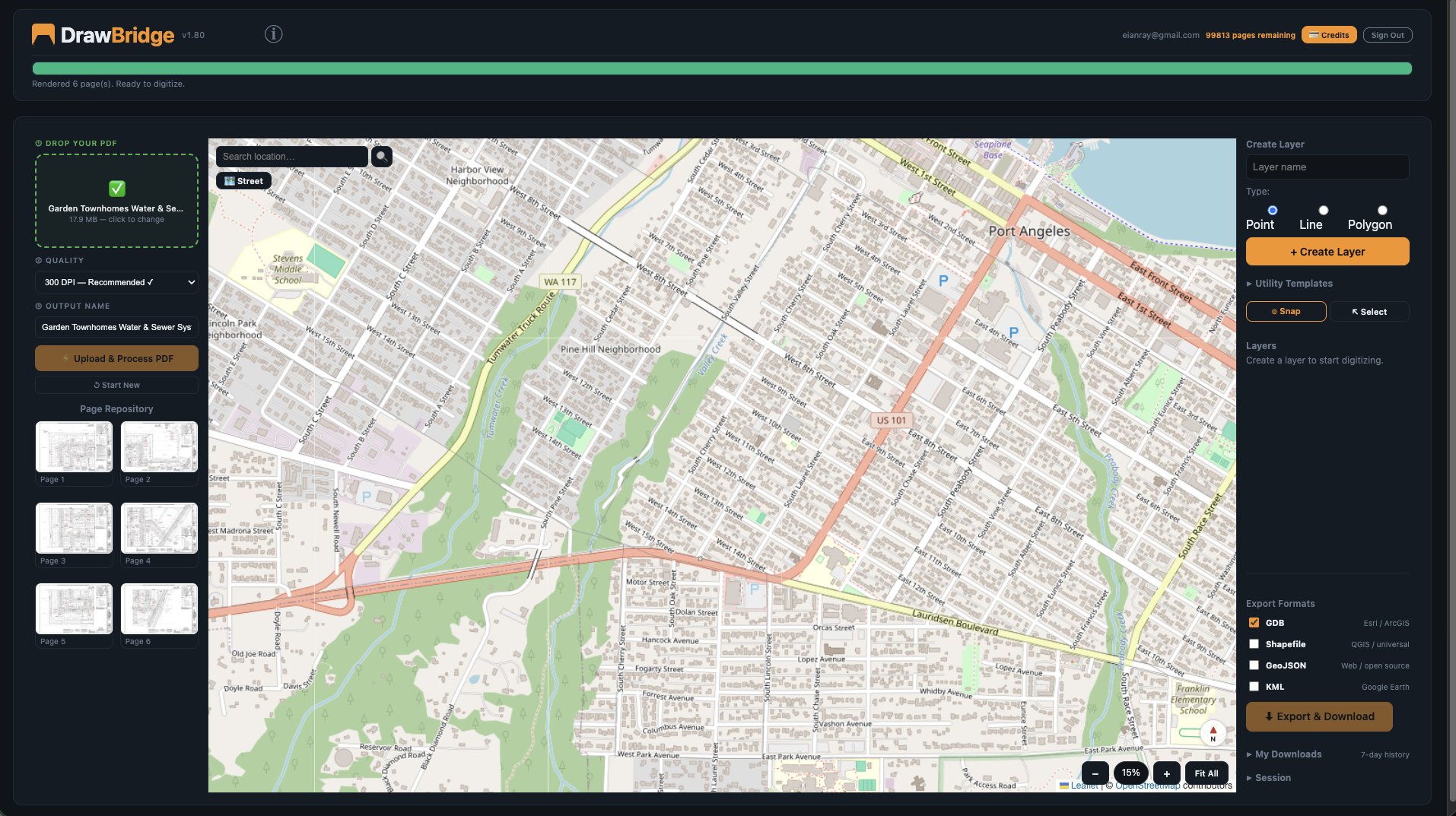
DrawBridge converts construction PDFs into Esri File Geodatabases. Upload, align, digitize, export. No AutoCAD. No manual data entry.

No GIS software licenses required. Designed for entry-level beginners — quick turnaround, no commitment.

Step 1 1 of 3
DrawBridge demo
Click to continue →

The Problem

Paper plans are still everywhere.

Water districts, utilities, and municipalities manage billions of dollars of infrastructure documented on paper or scanned PDFs. Getting that data into GIS means hours of manual entry — tracing coordinates, building attribute tables, importing to ArcGIS. DrawBridge eliminates that work.

10x
faster than manual entry
4
export formats: GDB, SHP, GeoJSON, KML
0
required GIS expertise to get started
How It Works

Four steps from PDF to GDB.

1
Upload your PDF
Drag and drop any construction PDF. DrawBridge renders each page at high resolution.
2
Place pages on the map
Position and align your drawings over a real-world basemap. Rotate and scale to fit.
3
Digitize your features
Trace points, lines, and polygons directly on your drawings. Add labels to each feature.
4
Export and download
Download a ready-to-use Esri File Geodatabase (.gdb). Open in ArcGIS or QGIS immediately.
Who It's For

Built for the professionals who keep infrastructure running.

🗺️

GIS Technicians

At water and sewer districts managing decades of as-built records.

🏗️

Infrastructure Consultants

Delivering digitized geodatabases to municipal clients faster.

🏛️

Municipal GIS Departments

Converting legacy paper archives into queryable spatial data.

📐

Engineering Firms

Bridging the gap between scanned plans and modern GIS workflows.

Pricing

Simple, prepaid credits.

No subscription. No expiration. Buy what you need.

1 credit = 1 PDF page processed. Credits never expire.

Start here
Free to Try
Pay As You Go
$0
5 pages free · $1/page after · No card required
Get Started — Free
Starter
15 pages
$10
$0.67 / page
Buy Credits
Standard
40 pages
$25
$0.63 / page
Buy Credits
Most popular
Pro
150 pages
$75
$0.50 / page
Buy Credits
Studio
400 pages
$150
$0.38 / page
Buy Credits
Questions

Questions

What counts as one page?

Each PDF page processed counts as one credit.

Do credits expire?

No. Credits never expire. Buy when you need them, use them when you're ready.

What GIS formats can I export?

Esri File Geodatabase (.gdb), Shapefile (.shp), GeoJSON, and KML.

Do I need ArcGIS to use DrawBridge?

No. DrawBridge runs in your browser. The exported formats are compatible with ArcGIS Pro, ArcGIS Online, QGIS, and any GIS software that reads standard formats.

Is my data stored permanently?

Session data is temporary. Sessions expire after 24 hours. Export and save your .gdb before closing.

Does it work on tablet or mobile?

DrawBridge is designed for desktop use. A large screen makes digitizing much easier.
Contact

Get in touch

Questions about DrawBridge? We'll get back to you promptly.